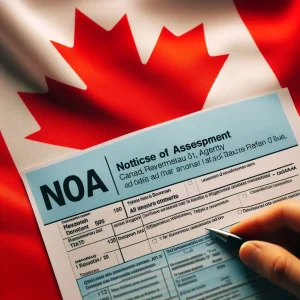
Notice of Assessment (NOA)
Notice of Assessment (NOA) summarizes the CRA’s review of your return, confirms your tax liability (or refund amount), and provides crucial information about your tax situation.
Why the NOA Matters
- Verification: The NOA verifies whether the CRA agrees with the information on your tax return or if they have made any changes.
- Taxes Owed or Refund: It clearly indicates whether you owe taxes, are entitled to a refund, or have a zero balance.
- RRSP Deduction Limit: Your NOA states your RRSP deduction limit for the following year, which is essential for planning your retirement savings contributions.
- Benefit Entitlement :Tax-related benefits like the GST/HST credit, Canada Child Benefit (CCB), and others are recalculated based on your NOA.
- Audit Trigger: While not a guarantee, discrepancies between your return and the NOA could increase the likelihood of a CRA audit.
Deciphering Your Notice of Assessment
Let’s break down the key sections of your NOA:
-
Personal Information: This section verifies your name, address, Social Insurance Number (SIN), and tax year. Double-check this information for accuracy.
-
Summary of Assessment: This provides a snapshot of:
- Your total income reported.
- Taxable income.
- Total federal and provincial/territorial taxes.
- Non-refundable tax credits applied.
- Refundable tax credits applied.
- Any balance owing or refund amount.
-
Explanation of Changes: If the CRA made adjustments to your return, this section outlines the specific changes and their reasons.
-
RRSP Deduction Limit: Here you’ll find your maximum allowable RRSP contribution room for the following tax year.
-
Unused Tuition, Education, and Textbook Amounts: Lists any unused tuition amounts carried forward from previous years, potentially available for deduction in the current year or future years.
-
Benefit Notices: The NOA often includes notices about your eligibility for benefits like the GST/HST credit, CCB, or Working Income Tax Benefit (WITB).
-
Important Dates: Includes deadlines for payments, filing objections, or making changes to your return.
Common Scenarios and What to Do
-
You Agree with the NOA:
- Balance Owing: Pay the outstanding amount by the deadline to avoid interest and penalties.
- Refund: You don’t need to do anything; your refund will be issued via direct deposit or a mailed check.
- No Action Needed: If you have a zero balance, no further action is typically needed.
-
You Disagree with the NOA:
- Review Carefully: Double-check the changes made by the CRA and ensure you understand the reasoning.
- Gather Your Records: Have supporting documents to back up your original tax return information.
- Options:
- Formal Objection: File a formal objection (Form T400A) within 90 days of your NOA date (or a longer period in certain circumstances).
- Informal Contact: Call the CRA to discuss the discrepancy and potentially resolve it over the phone.
How to Access Your NOA
- My Account: The CRA’s online portal “My Account” allows you to view and download your NOA.
- By Mail: The CRA will mail you a paper copy of your NOA.
- Represent a Taxpayer: Access NOAs for other taxpayers (clients) using the CRA’s online tool.
Tips for Understanding Your Notice of Assessment
- Review Promptly: Don’t file your NOA away without reading it carefully. Address discrepancies or payment requirements timely.
- Compare to Your Return: Compare the NOA to your filed tax return to identify any changes made by the CRA.
- Keep Records: Retain your NOA with your tax records for several years. They are essential documentation in case of an audit.
- Get Help if Needed: If you don’t understand your NOA or disagree with it, consult a tax accountant or advisor for assistance.

